
Creating a professional website without coding can be a challenge for many users. Elementor is a popular WordPress page builder that allows designers, developers, and beginners to build websites visually with drag-and-drop functionality.
With its intuitive interface, pre-designed templates, and a wide range of widgets, Elementor makes designing responsive, modern, and fully customizable websites simple. Users can see changes in real-time, reducing the guesswork of traditional coding.
Whether building a personal blog, an online store, or a business website, Elementor offers flexibility, speed, and a beginner-friendly approach while maintaining advanced features for professional designers.
Elementor Review – Interface, Features & Performance
Best Elementor Review: Templates, Widgets & Website Builder
Elementor provides a visual, front-end editing experience for WordPress, allowing users to design websites without writing code. Its drag-and-drop builder supports responsive design, custom layouts, and extensive styling options.
The platform comes with a library of pre-designed templates and blocks to accelerate website creation. Users can also extend functionality with add-ons, custom widgets, and integrations with popular tools like WooCommerce, Mailchimp, and Yoast SEO.
Overall, Elementor balances ease of use with advanced capabilities, offering a robust solution for beginners and professionals who want full control over their website’s design.
Why People Love Elementor
Best Elementor Review: Templates, Widgets & Website Builder
Elementor’s visual editor allows users to drag and drop elements onto a page, making website design intuitive. Users see exactly how their website will look as they build it. This approach eliminates coding stress and speeds up the design process.
Elementor provides hundreds of pre-designed page templates and blocks for quick website creation. Users can customize these templates to match branding and content needs. Templates save time while delivering professional-looking results.
Websites created with Elementor are mobile-friendly and responsive by default. Users can adjust layouts for desktop, tablet, and mobile views individually. This ensures a consistent and professional appearance across devices.
Elementor integrates seamlessly with WordPress plugins and third-party tools like WooCommerce, Mailchimp, and Yoast SEO. This allows users to enhance functionality and streamline marketing efforts without technical difficulties.
Elementor offers advanced design controls, including motion effects, hover animations, and custom CSS options. Users can create visually engaging websites without relying on external plugins or coding.
Elementor Products & Add-Ons
Best Elementor Review: Templates, Widgets & Website Builder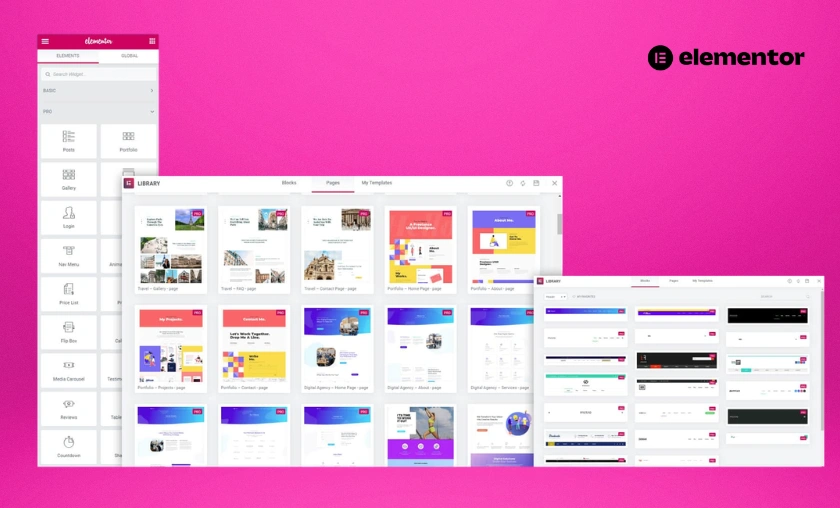
Elementor Free
The free version includes a basic set of widgets, templates, and the drag-and-drop editor. It is ideal for beginners or small projects and provides a good starting point for WordPress website creation.
Elementor Pro
The premium version unlocks advanced widgets, theme builder, WooCommerce builder, pop-up builder, and marketing integrations. It is suitable for professional designers and businesses needing full control.
Elementor Theme Builder
This feature allows users to customize headers, footers, single posts, and archive pages globally. Users can create a consistent and dynamic design across their entire website without coding.
Elementor Pop-Up Builder
The pop-up builder lets users design pop-ups for announcements, email sign-ups, promotions, and more. Users can trigger pop-ups based on user behavior or page interactions.
Add-Ons & Extensions
Elementor supports third-party add-ons and widgets that enhance functionality. Users can expand design options, add forms, sliders, and other interactive elements without custom coding.
Reasons to Use Elementor
Best Elementor Review: Templates, Widgets & Website Builder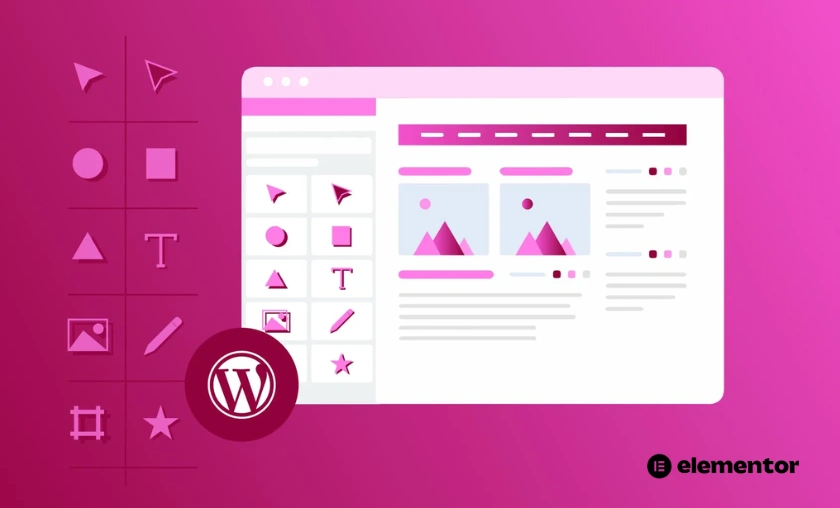
Elementor makes it easy for beginners to build professional websites without coding experience. Drag-and-drop functionality and live previews simplify the process.
With pre-designed templates, blocks, and global widgets, users can create pages faster than with traditional coding. This helps businesses and freelancers launch websites efficiently.
Websites are automatically mobile-friendly, with responsive controls for tablet and mobile devices. Users can adjust layouts to ensure a consistent user experience.
Pro users can access theme building, custom CSS, and advanced styling options. This gives full creative control to match branding and user experience goals.
Seamless integration with WordPress plugins, WooCommerce, and marketing tools allows users to enhance their website’s functionality. Elementor can grow with the website’s needs.
Elementor vs Other Page Builders
Best Elementor Review: Templates, Widgets & Website Builder
| Feature | Elementor | Other Page Builders |
|---|---|---|
| Drag-and-Drop Editor | Yes | Varies |
| Pre-Designed Templates | 300+ free, 100+ pro | Limited templates |
| Theme Builder | Full site customization | Often limited |
| Add-Ons & Widgets | Extensive | Fewer options |
| WooCommerce Integration | Yes | Partial support |
Elementor stands out for its balance of simplicity and advanced features. Its extensive template library and full theme-building capabilities give users more control than many other page builders.
How Elementor Works & Advantages
Best Elementor Review: Templates, Widgets & Website Builder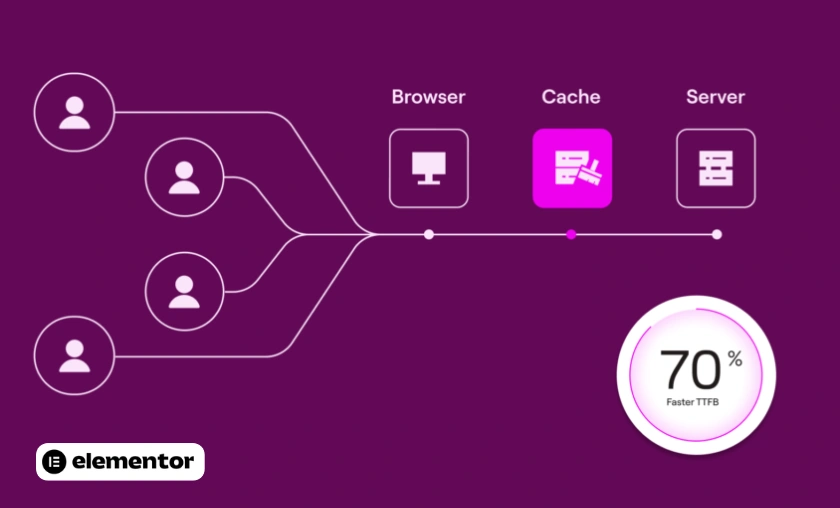
Elementor operates as a WordPress plugin that replaces or enhances the native editor with a visual drag-and-drop interface.
Shopping Tips for Elementor
Best Elementor Review: Templates, Widgets & Website Builder
Maximize Elementor’s potential with these tips:
- Start with the free version to test core features before upgrading.
- Use pre-designed templates and blocks to save time on layouts.
- Take advantage of the theme builder to create consistent headers, footers, and archive pages.
- Explore third-party add-ons for extra widgets and functionality.
- Keep Elementor and WordPress updated for best performance and security.
The Story of Elementor
Best Elementor Review: Templates, Widgets & Website Builder
Elementor was founded in 2016 with a mission to make web design accessible to everyone, regardless of coding experience. The team focused on creating a fast, flexible, and visual design tool for WordPress users.
Over the years, Elementor grew rapidly, attracting millions of users worldwide and expanding its offerings with Pro features, theme and pop-up builders, and extensive templates.
Today, Elementor is one of the most popular WordPress page builders, powering websites for freelancers, agencies, and businesses, combining ease-of-use with advanced design capabilities for any project.
Customer Reviews of Elementor
Best Elementor Review: Templates, Widgets & Website Builder
Customer feedback highlights Elementor ease of use, flexibility, and professional results while noting that Pro features are essential for advanced functionality.
Conclusion
Elementor is a powerful WordPress page builder suitable for beginners, freelancers, and professional designers. Its drag-and-drop interface simplifies web design without coding.
While the free version provides basic functionality, Elementor Pro unlocks advanced widgets, theme builder, and integrations that are essential for fully functional websites.
Overall, Elementor is a reliable and flexible tool for creating visually appealing, responsive, and professional websites, offering a perfect balance between ease-of-use and advanced design capabilities.
FAQ’s (Frequently Asked Questions)
To Read More Similar Articles, Click Here.
Thanks for Visiting Our Website. If You Appreciate Our Work, Kindly Show Us Some Support in Our Comments Section 🙂