
In today’s digital world, content creation is no longer reserved for professionals. From YouTube vloggers and TikTok creators to educators, marketers, and hobbyists, anyone with a laptop or smartphone can produce multimedia content. However, finding software that is both powerful and user-friendly can be challenging. Enter Movavi, a multimedia software brand that has gained a reputation for balancing ease of use, affordability, and functionality.
Founded in 2004, Movavi is part of a growing wave of software companies focused on making creative tools accessible to all. The brand offers a diverse portfolio, including video editing, screen recording, photo editing, slideshow creation, and file conversion. What sets Movavi apart is its commitment to ensuring that even beginners can create professional-looking content without hours of training or technical expertise.
In this review, we’ll explore why Movavi has become a favorite among creators globally, including its key products, standout features, pricing, user experience, and customer feedback. Whether you are a student, freelancer, or entrepreneur, this comprehensive guide will help you decide if Movavi is the right multimedia solution for your needs.
Movavi Review: A Brand Closer Look
Movavi Review: Best Multimedia Software for Creators
Movavi has built a strong reputation in the multimedia software market due to its consistent focus on accessibility, reliability, and innovative features. Unlike other software brands that often prioritize advanced capabilities for professionals, Movavi strives to simplify the creative process for beginners, students, and casual users while maintaining high-quality results.
The company has grown into a global player, offering software in multiple languages, compatible with Windows, macOS, and mobile devices. Their portfolio covers video editing, screen recording, photo editing, multimedia conversion, and presentation creation. Movavi’s software is designed with intuitive interfaces, drag-and-drop functionality, and prebuilt templates, allowing users to produce polished content quickly.
Additionally, Movavi emphasizes frequent updates and feature enhancements, ensuring that users have access to the latest tools and improvements without needing to purchase an entirely new version. The company also provides comprehensive support, including tutorials, step-by-step guides, and responsive customer service, which further elevates its reputation among users worldwide.
Why Shoppers Love Movavi
Movavi Review: Best Multimedia Software for Creators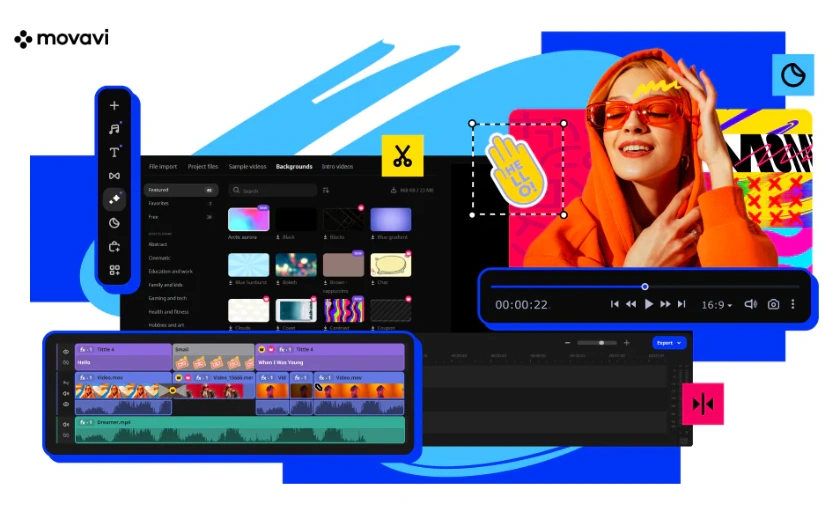
Users from various backgrounds love Movavi for several reasons:
Movavi appeals to content creators who want professional results without complexity, making it one of the most recommended multimedia solutions for beginners and intermediate users.
Top 5 Movavi Products You Should Try
Movavi Review: Best Multimedia Software for Creators
Movavi offers a wide range of products, but these five consistently stand out among users globally:
This flagship product is perfect for beginners and intermediate users. It offers transitions, filters, effects, title tools, and audio editing, all in a user-friendly interface. You can create videos for YouTube, Instagram, or personal projects quickly, making it a favorite among content creators.
Ideal for recording webinars, online meetings, and gaming sessions, this tool captures high-quality video and audio. Features include scheduled recording, cursor highlighting, and instant editing tools. Professionals and educators find it invaluable for creating tutorials and presentations.
This tool allows users to enhance photos, remove unwanted objects, correct colors, and replace backgrounds effortlessly. Social media enthusiasts, bloggers, and photographers love its simplicity and professional results.
A highly efficient product for converting videos and audio into hundreds of formats. It also allows compression without losing quality, making it perfect for sharing content across devices and platforms. Travelers, students, and professionals often use it to save storage space.
A creative tool for turning photos into animated slideshows with music, transitions, and effects. It’s excellent for family albums, school projects, and business presentations. Its templates and preloaded effects make slideshow creation fast and visually appealing.
These products showcase Movavi’s commitment to simplicity, versatility, and high-quality output, making it a go-to choice for a wide range of multimedia tasks.
Key Reasons to Use Movavi for Your Multimedia Needs
Movavi Review: Best Multimedia Software for Creators
Whether you are producing a YouTube video, capturing lectures, creating presentations, or editing family photos, Movavi streamlines the workflow efficiently.
Movavi vs Other Brands
Movavi Review: Best Multimedia Software for Creators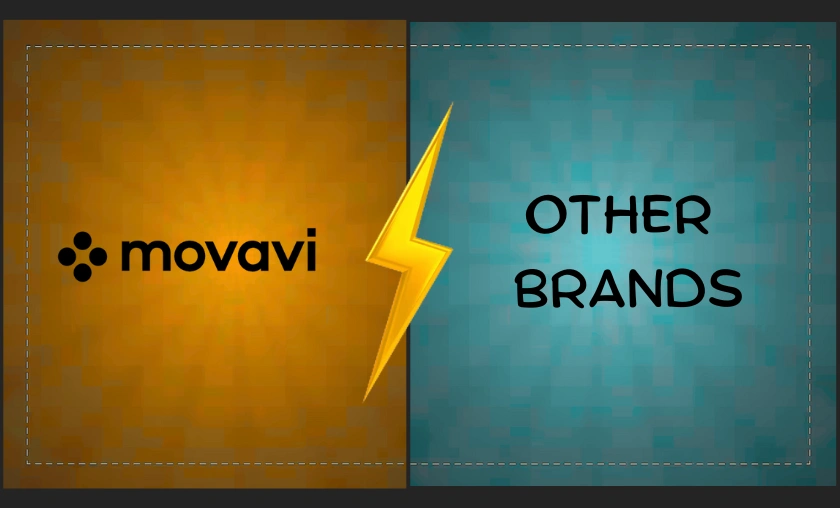
| Feature | Movavi | Other Multimedia Software |
|---|---|---|
| Ease of Use | Beginner-friendly, intuitive | Often steep learning curve |
| Price | Affordable | Expensive subscriptions |
| Features | Video, photo, audio editing, screen recording | Usually specialized |
| Speed | Fast rendering and conversion | Slower, resource-heavy |
| Support | Tutorials, live chat, FAQs | Limited or paid support |
Movavi stands out by balancing simplicity and functionality, making it an excellent choice for users who want professional-quality results without frustration.
Pricing & Value for Money
Movavi Review: Best Multimedia Software for Creators
Movavi offers affordable pricing plans depending on the product:
Compared to professional alternatives like Adobe Premiere Pro or Final Cut Pro, Movavi provides excellent value, delivering high-quality tools without the recurring subscription fees. Users frequently report that the software quickly pays for itself by saving time and reducing the learning curve.
Customer Reviews of Movavi
Movavi Review: Best Multimedia Software for Creators
These reviews reflect Movavi’s global appeal and its ability to serve diverse creative needs.
Tips for Getting the Best Deals on Movavi
Movavi Review: Best Multimedia Software for Creators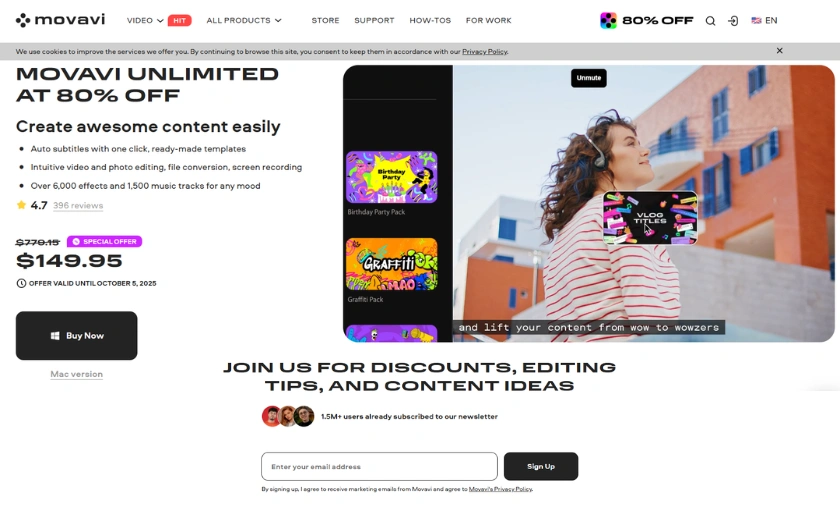
Conclusion
Movavi is a reliable and affordable multimedia suite that appeals to beginners, intermediate users, and even professionals seeking quick solutions. Its combination of simplicity, speed, versatility, and affordability makes it stand out among competitors.
For content creators, educators, and small businesses, Movavi provides all the essential tools for video editing, screen recording, photo editing, and file conversion without overwhelming complexity. Its tutorials, templates, and intuitive interface ensure that users can produce professional-quality content with minimal effort.
Bottom line: If you want high-quality multimedia software that is affordable, easy to use, and packed with essential features, Movavi is an excellent choice for 2025 and beyond.
FAQ’s (Frequently Asked Questions)
To Read More Similar Articles, Click Here.
Thanks for Visiting Our Website. If You Appreciate Our Work, Kindly Show Us Some Support in Our Comments Section 🙂